Article content
If you are just starting with Javascript and looking at the browser console logs, you could very well see this naive error "DevTools failed to load source map: Could not load content for chrome-extension://xxxxxx.js.map: System error: xxx". This is a very common error and is most often caused by the Adblock extension installed in your browser.
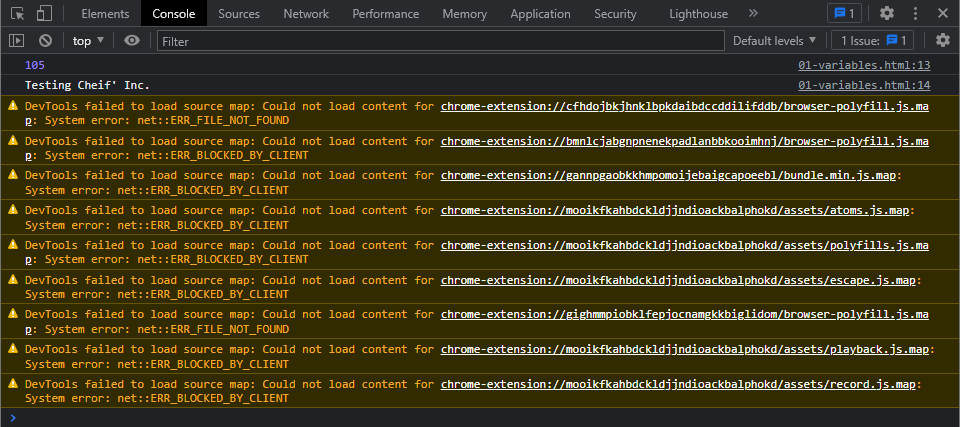
There are two ways to remove these errors.
1. Simply disable the extensions that are causing these errors. Start with the Adblock extension and if it doesn't help try disabling the other browser extensions one by one.
2. Update the browser DevTools settings to disable JS & CSS source maps. In order to do this, navigate to developer tools, then Settings. Under Preferences > Sources, uncheck "Enable JavaScript source maps" and "Enable CSS source maps".
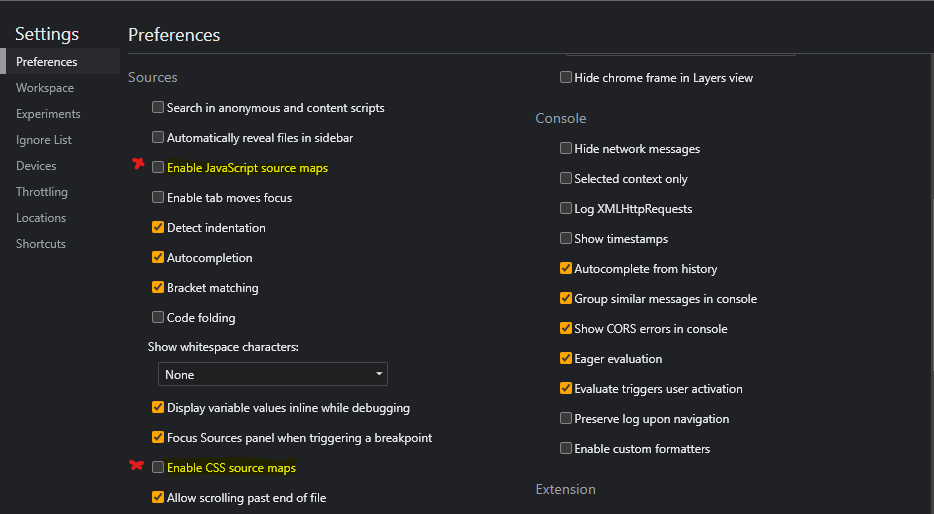
Now, if you reload the page in your browser, the errors will be gone. :)

If you found this interesting, you can find more such articles here on quality assurance, test automation, tools, and processes. Don't forget to like and share this post with friends and community. If you have a question, connect with me through the contact form. Thank you!